Stop a Task- Emergency Stop Button
- To stop the cleaning task immediately, press the emergency stop button
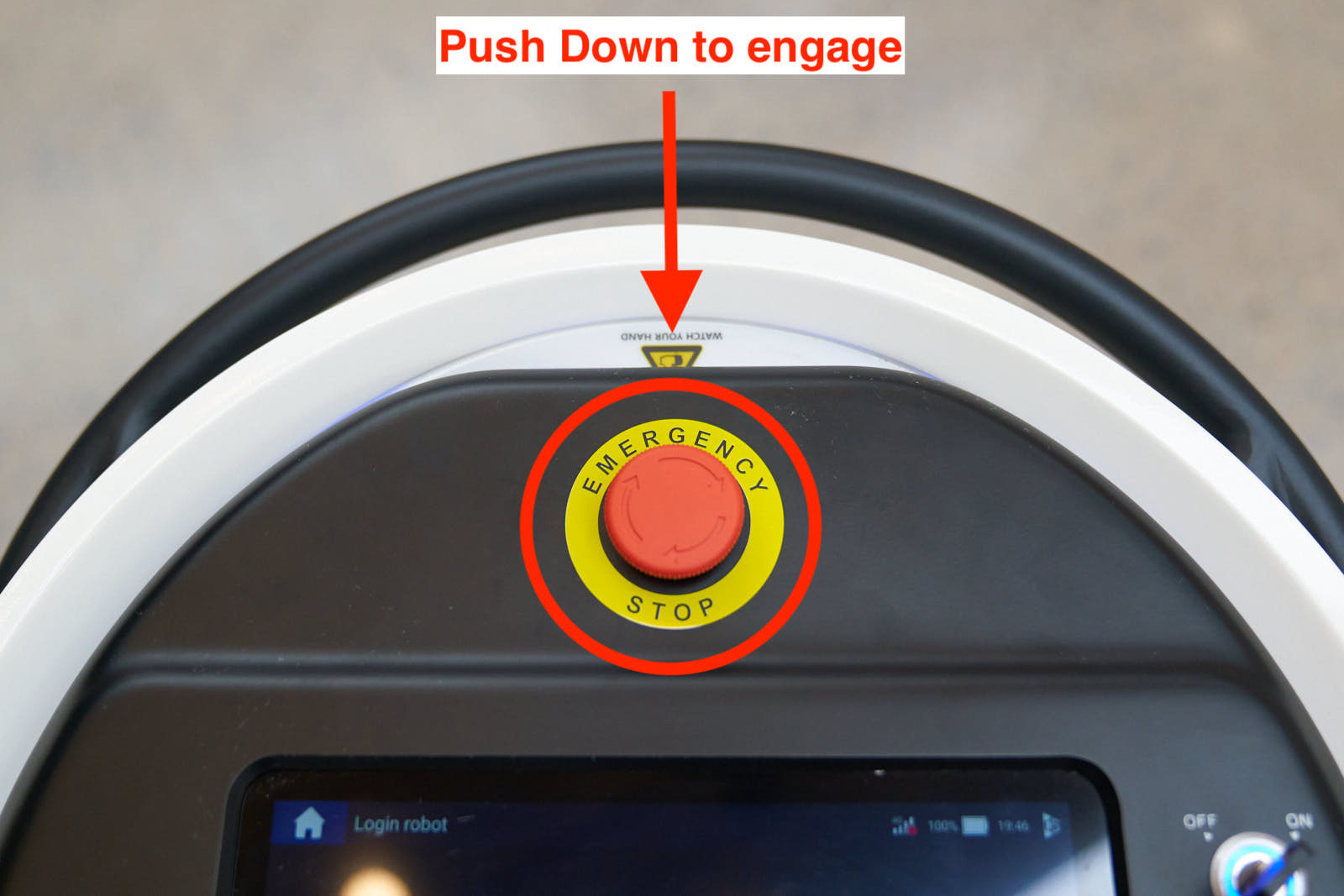
- To resume the task, twist and pull up on the emergency stop button
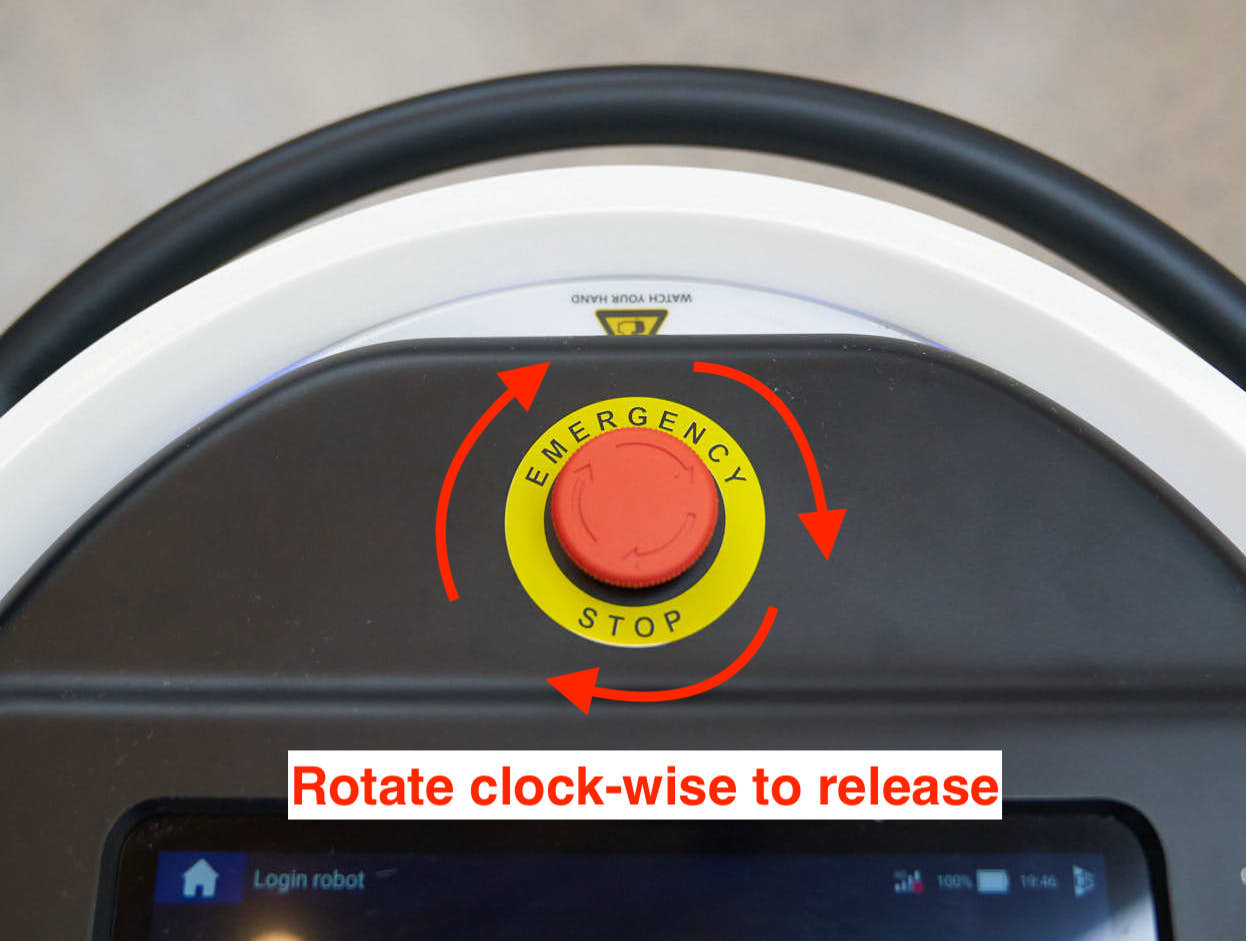
- If the task was paused through the use of the emergency stop button, click the "confirm" button and press the emergency stop button again to restore the task
- To continue the task without using the emergency stop button, click the "continue" icon on the screen
- To end / terminate the task, pause the task and click the "stop" and "confirm" icons
Related Articles
Manual Mode
Select Floating Menu Click on the floating menu in the lower right corner: Enter Manual Operation Select "Manual Operation" from the menu: Manual Mode Menu In manual mode, you can adjust the water spray level, suction level, and squeegee position as ...
Select and Preview a Map
This article explains how to select, preview, and confirm a map before starting a task. 1. Select a Map Click the dropdown menu Select the Map that matches the environment 2. Preview the Map (Optional) Click the dropdown menu Select the Map that ...